Video StudioSK

ViralPro Video Studio · Mac and Windows

Never edit a video
by hand again.

Drop in your clips and Claude edits them: effects, captions, sound and music. Built on ViralPro recipes, with 173 styles and effects.

19 € / mo38 €

or 190 € a year 380 €

incl. VAT · price for the first 100 on the list · subscription, cancel anytime

Join the list and you will be the first to know when the studio launches.

No payment, just your email. We will write when the studio launches. Privacy
This video was edited in Video Studio

Shot on a phone. Edit, captions, effects and music by the studio.

~1 minto break down a video you like
173styles and effects in the catalogue
4modes: video, fix, AI ad, carousels
0editing apps

The result

This is what a finished video looks like.

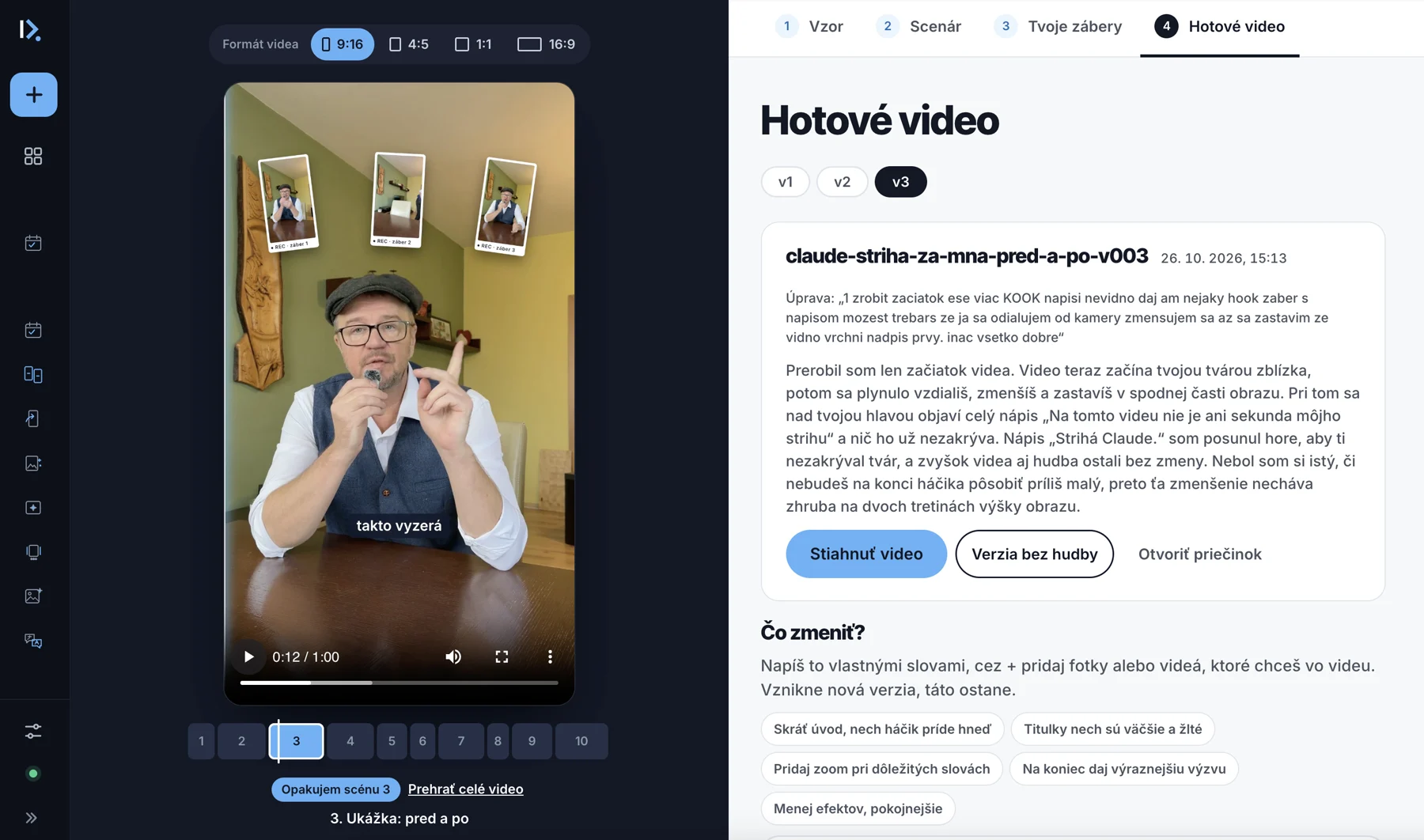
Download the finished video and get the post right below it: title, cover text, description with a hook, comment call to action and hashtags. Each with a Copy button.

  • video with effects, captions and sound
  • a version with music and one without
  • every change is a new version, old ones stay
  • a post ready to publish
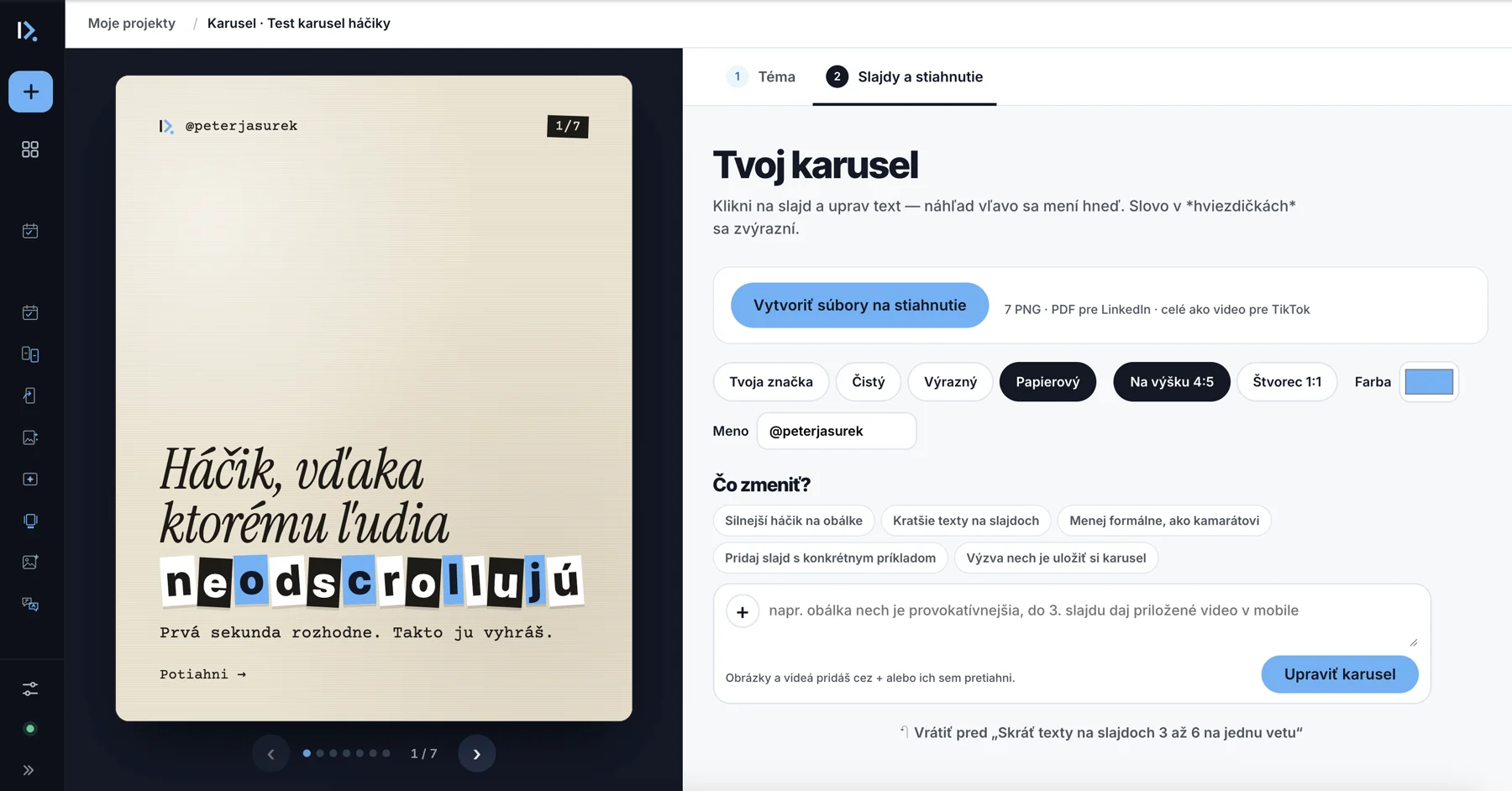
Creating a carousel in Video Studio

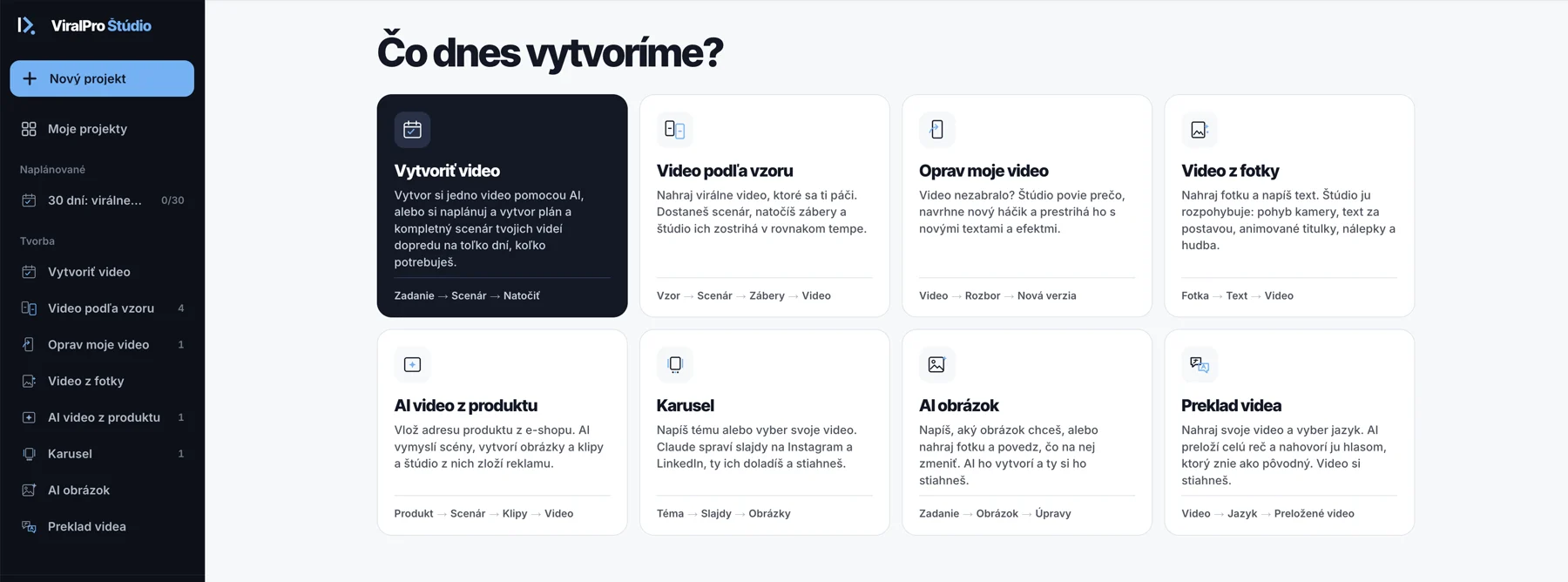
Four modes

Pick what you will make today.

Pick what you will make today.

Video from a reference

Upload a viral video you like. You get a scene-by-scene script: what to say, how to shoot and which effects to use. Shoot your clips, drop them all in at once and the studio sorts them into scenes by itself — even with several lines or several takes in one clip.

Reference → Script → Clips → Finished video
Fix my video

A video that did not take off? Upload it and the studio tells you what is not working, suggests 3 new hooks and re-edits it with new text and effects.

Your video → Breakdown → New version

AI ad from a productbeta

Paste a product URL or upload product photos, then add your photo, a short video of yourself and your voice — or pick an AI avatar. The studio writes the script, creates AI images and clips and assembles a complete video starring you. You need your own fal.ai account, billed per generation.

Product → Script → Clips → Video

Carousels

Type a topic, notes or pick your own video. Claude writes the slides and the post text, you polish them by hand or by chat and download images for Instagram and a PDF for LinkedIn.

Topic → Slides → Images

Inside the studio

You direct. Claude edits.

A script to shoot

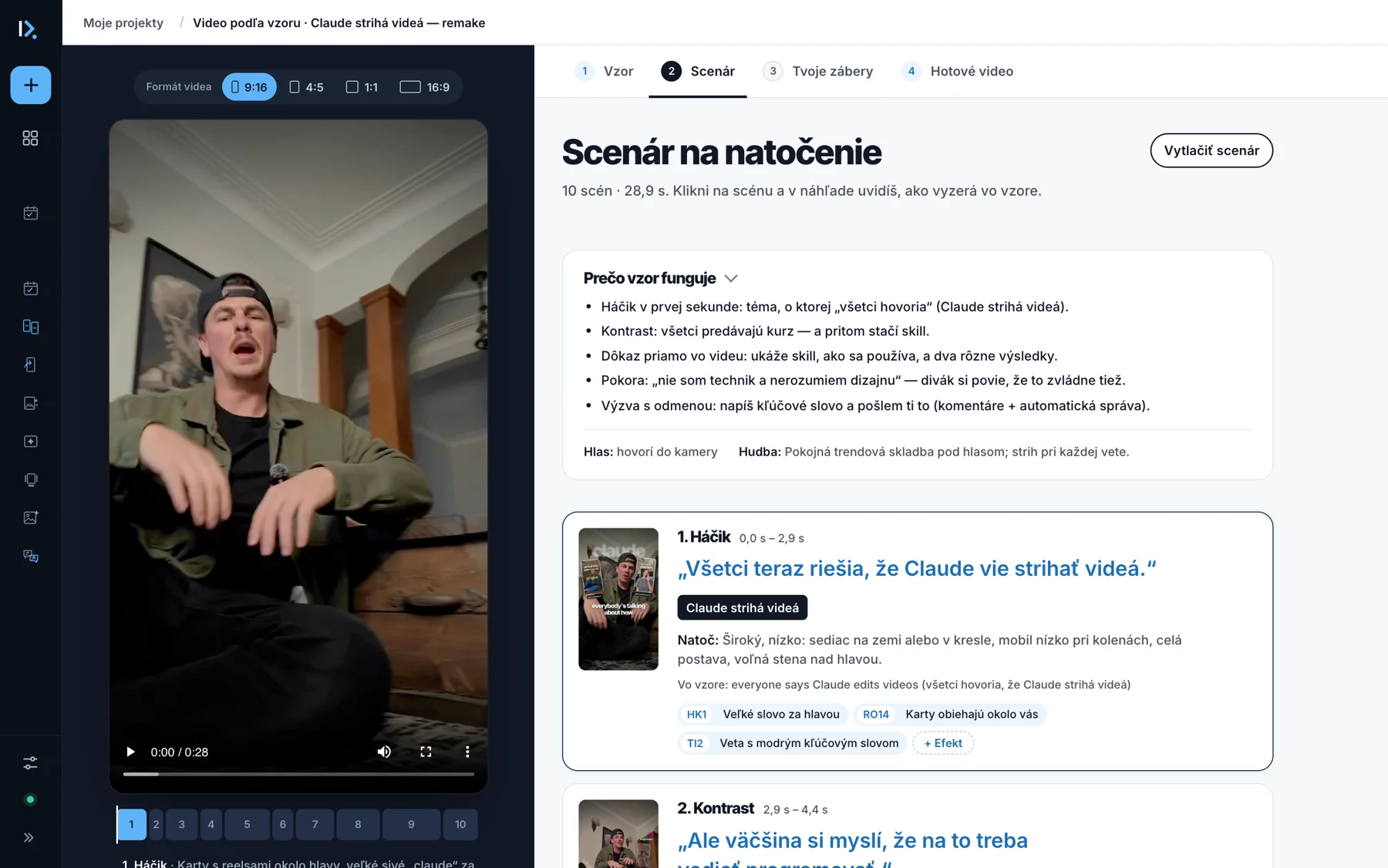
A reference broken down in a minute: why the video works, scenes with timings, what to say, how to shoot and which effects to use. You can print the script too.

Shooting script in Video Studio

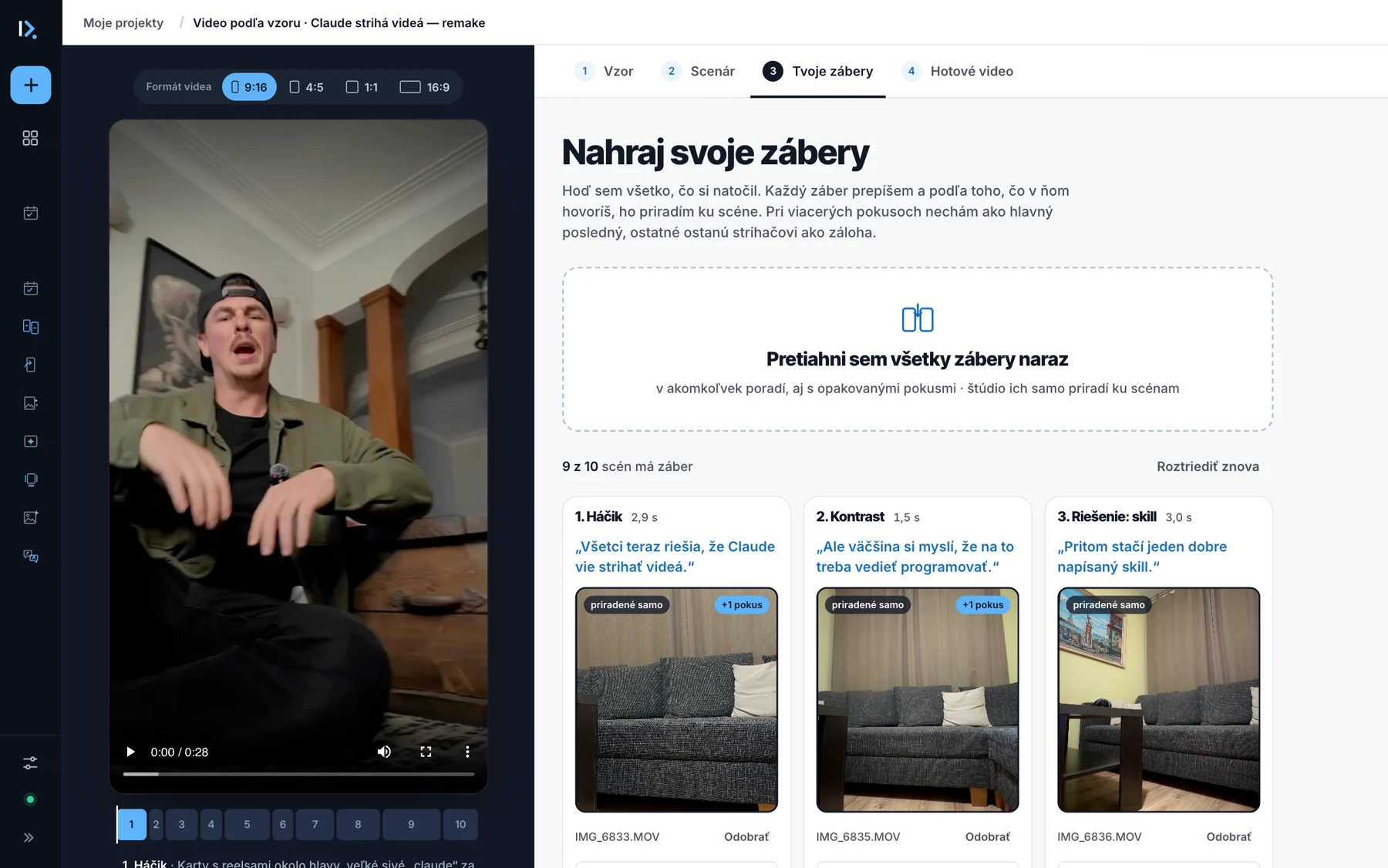
All clips at once

Drop in everything you shot, in any order. Each clip is transcribed and matched to its scene. With several takes, the last one becomes the main take.

Uploading clips and matching them to scenes

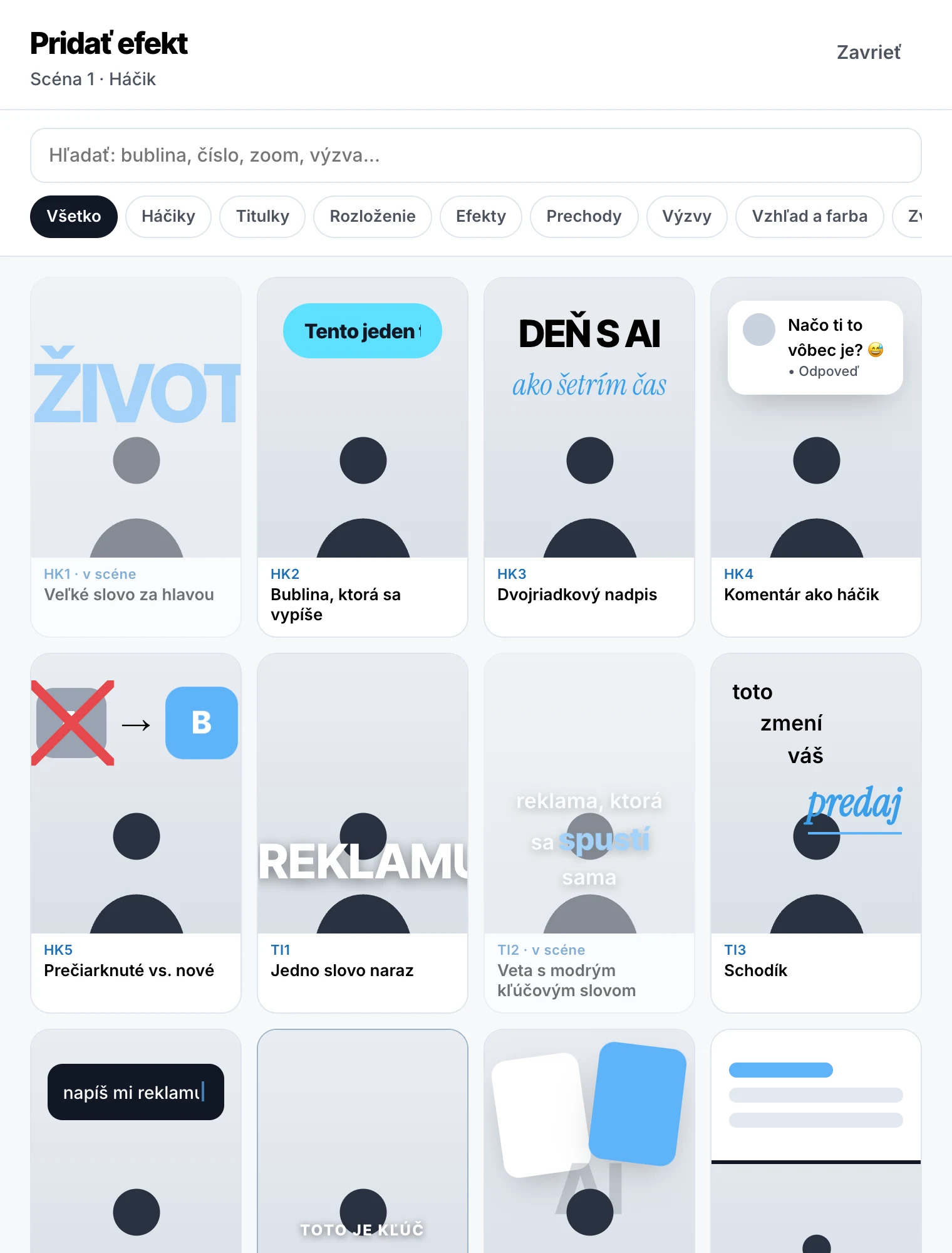
Effect library with live previews

Swap or add an effect in any scene, insert your own image or text. Choose from the ViralPro Styles catalogue.

ViralPro Styles effect library

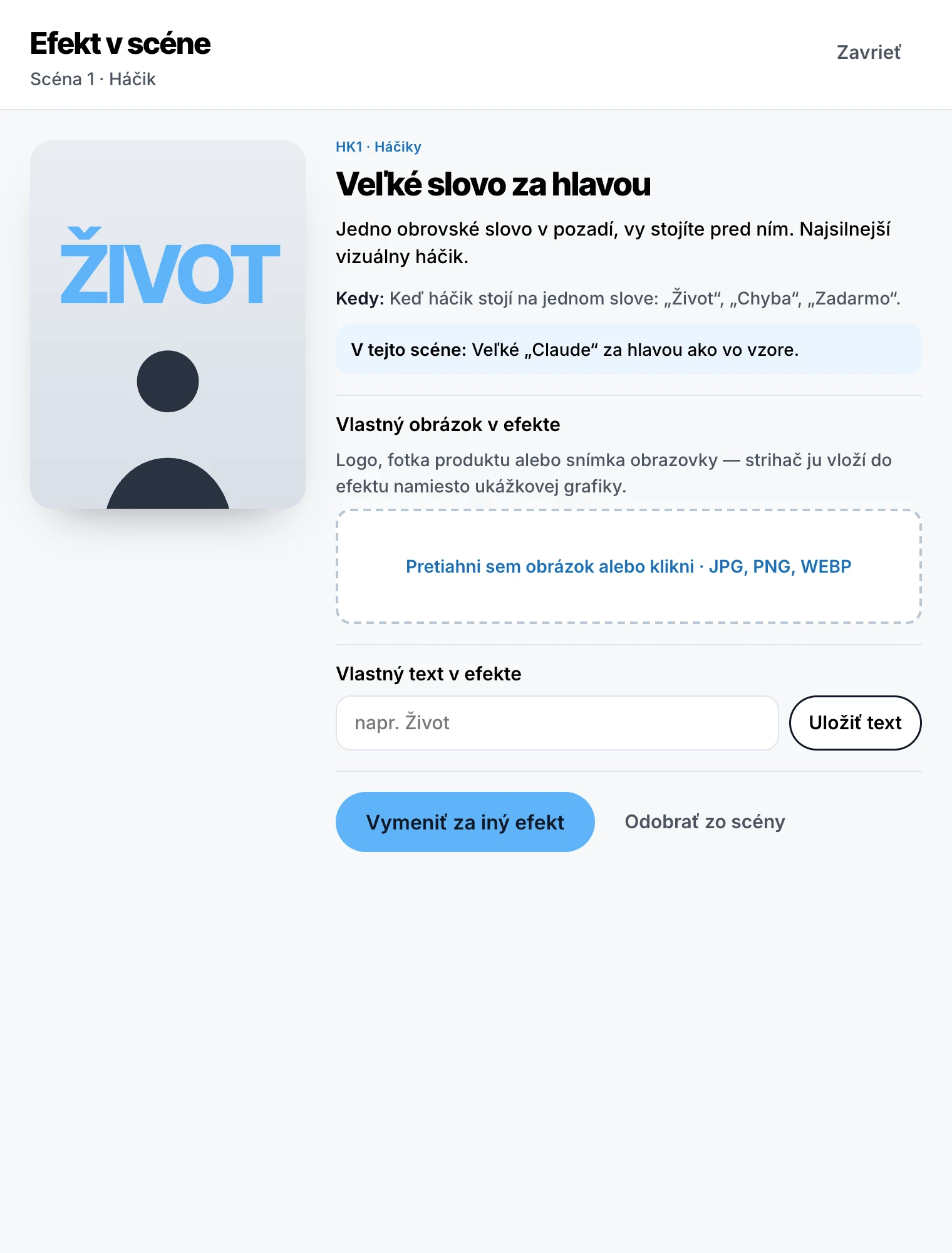
Effects made yours

Your logo, a product photo or a screenshot right inside the effect. The editor puts it in place of the sample graphic.

Editing an effect in a scene

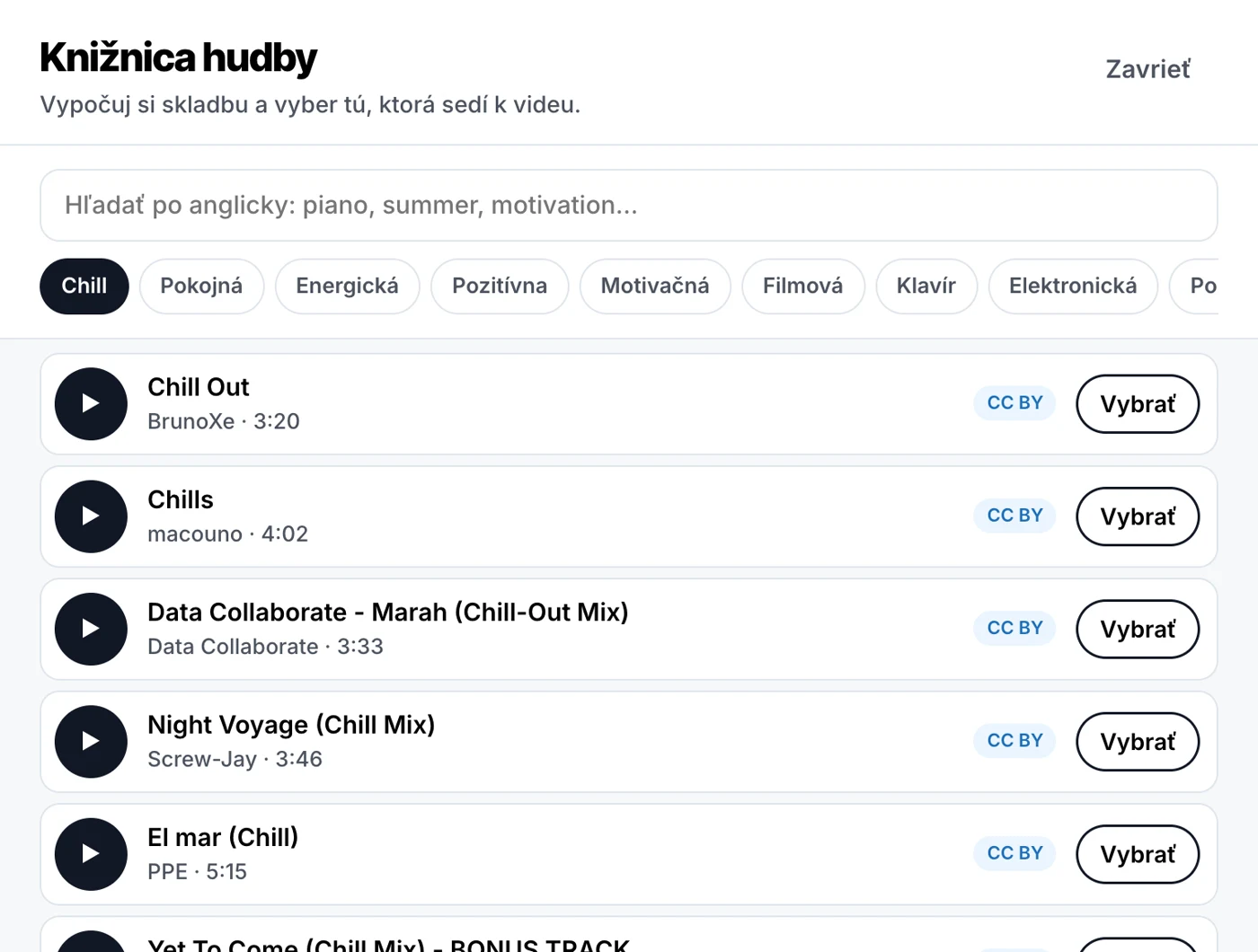
Music that fits

„Suggested by Claude“ picks a track for the video and places it under your voice — quieter while you speak, louder in the pauses. Or pick from a library of free music and the artist is credited in the description automatically.

Free music library

A carousel in minutes

Four slide looks, portrait or square, your colour and name. A word in asterisks gets highlighted. Done: 1080 × 1350 images for Instagram and a PDF for LinkedIn.

Creating a carousel in Video Studio

Changes by chat

Type „shorten the intro“ or „bigger captions“ and you get a new version. Old ones stay, switch between v1, v2, v3.

Finished video with versions and the post

Honestly

Breakdown in a minute. Your video while you do something else.

A finished video with effects usually within half an hour. These are times from our tests on 25 October 2026:

Breakdown of an 11-second reference64 s
Breakdown of a 69-second video2 min 13 s
Sorting 6 clips into scenes35 s
Producing a video with effects from 10 raw clips11.5 to 23.5 min
A change by chat6.5 min
Music suggestion / adding music21 s / 4 s
Social media post14 s

After you buy

Up and running in minutes.

  1. Download the studioAfter payment you get a download link.
  2. Launch it with a double-clickUnzip the folder and double-click „Spustiť ViralPro Štúdio“. The studio window opens.
  3. The studio walks you through setupIn Settings: install Claude Code (the official app from Anthropic, the link is right in the studio) and sign in with your Claude subscription. Click „Install everything“ — the studio downloads its editing tools once, about 1.2 GB. Green ticks mean you are done.
  4. Pick a mode and createEverything runs on your computer and your videos stay with you.

What you need

Nothing hidden.

A Mac or Windows PCWorks on both.
A Claude subscriptionYour own paid plan. Editing uses part of its limit.
About 2 GB of spaceFor the studio and its editing tools.
A fal.ai accountOnly for AI ads from a product. Billed per generation.

What you get

A subscription. Cancel anytime.

  • ViralPro Video Studio for Mac and Windows
  • ViralPro Styles catalogue: 164 effects + 9 ready-made styles
  • future updates and new effects
  • monthly or yearly subscription, cancel anytime

Launch price: 19 € a month or 190 € a year instead of the regular 38 € a month — for the first 100 people on the list.

No payment, just your email. We will write when the studio launches. Privacy
Peter Jašurek

Who built it

I am Peter Jašurek.

I run the ViralPro agency and built the AffilKit and OZVE platforms. My videos have more than 1.5 million views across Instagram and TikTok. I am not an editor and do not want to be — so I built a studio where I shoot a clip and Claude takes care of the rest.

Questions

Before you join.

Does it work on Windows?

Yes. Video Studio works on Mac and Windows.

What does it cost on top?

You need your own paid Claude subscription — editing uses part of its limit. For AI ads from a product you pay fal.ai per generation. Nothing else.

Where are my videos?

On your computer. The studio runs locally and does not upload your videos anywhere.

Do I need to know how to edit?

No. Shoot your clips from the script and drop them into the studio. You ask for changes in plain sentences.

What if I do not like the video?

Write what to change and you get a new version. Old ones stay, so you can always go back.

When can I buy it?

Join the list and you will be the first to know — including the price.

Your next video is one clip away.

Join the list and you will be the first to know when the studio launches.

No payment, just your email. We will write when the studio launches. Privacy
Video Studio · early access listJoin the list